Case Study · Our Own Product
Barki
A food-scanning app we built for ourselves - because reading a nutrition label shouldn't take a chemistry degree.
 Barki
BarkiMost of our work is for other people's businesses. Barki is one we built for our own - partly because we wanted a tool like this to exist, and partly because shipping a real product start to finish, from an empty repo to something installed on our own phones, is the best way we know to keep our mobile skills sharp.
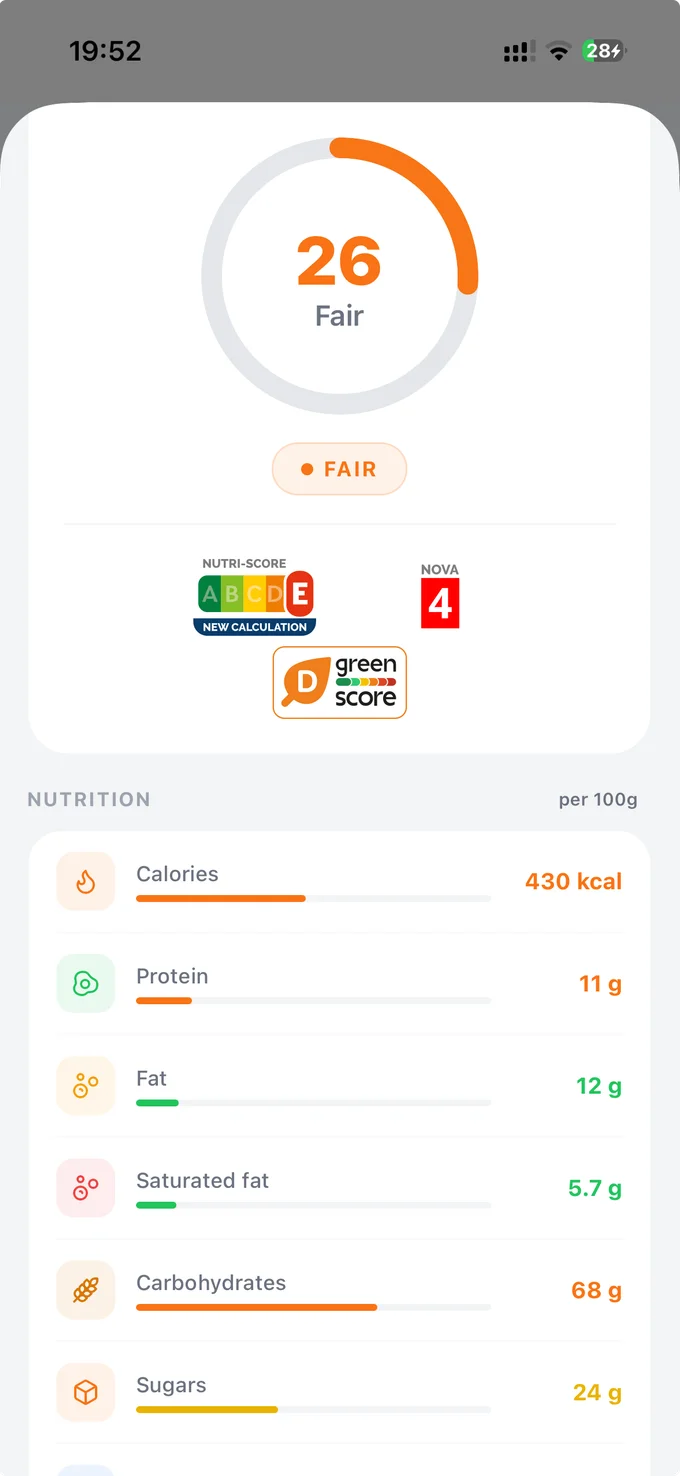
Point your phone's camera at a barcode and Barki looks the product up in Open Food Facts - a free, open database of over four million foods - and turns the label into one honest number: 0 to 100. Not the brand's marketing. A score built from the Nutri-Score, the NOVA processing group, and the actual nutriment data on the package.
A lot of packaged food carries at least one claim on the front that doesn't hold up once you read the back. Working that out yourself means cross-referencing three or four things on a tiny label, standing in a supermarket aisle, which nobody actually does. Barki does that math in about two seconds.
What It Does
Honest scoring
One number, 0 to 100, built from the Nutri-Score, the NOVA processing group, and the raw nutriment data - not the brand's version of events.
Dietary alerts
Set your restrictions once - gluten, nuts, dairy, soy, vegan, and more - and get a clear warning the moment a scanned product conflicts.
Local history
Every scan is saved on the device with MMKV, not a server. No account, no sync, nothing that leaves the phone.
Better alternatives
Score under 50 and Barki looks through the same category for something that scores better, automatically.
How It's Built
Barki is React Native on Expo's new architecture, written in TypeScript, with Expo Router handling navigation and typed routes. Reanimated and the gesture handler keep the scanning and scoring screens feeling native rather than web-in-a-box. Local data - scan history, dietary settings - lives in MMKV, fast on-device storage, so none of it ever leaves the phone.
Behind the scan button is a small Fastify API we run ourselves, not a direct call to Open Food Facts. It checks Redis first, at sub-2ms, then falls back to MongoDB, and only reaches out to Open Food Facts - a free, open database of over four million products - on a genuine cache miss, writing the result back to both layers so the next person who scans that barcode gets it instantly. The whole thing runs in three Docker containers: the API, Redis, and MongoDB.
It's the same stack and the same instincts we bring to mobile app work for clients: one codebase for both platforms, native-feeling interaction, and a backend only when the product genuinely needs one - which, for an app leaning this hard on a free public API, it did.
Where It Stands
Barki is still in development - not yet published to the App Store or Google Play. We're finishing it the same way we'd finish any client project: testing it on real devices and tightening the parts that feel rough before it goes out the door.
Say hello
Let's make something
you're proud of.
Tell us what you're working on - even a rough idea is plenty. Book a quick call, or send a message and we'll reply like actual humans, usually within a day.
A short intro call - no pitch, just a chat about what you're working on.
Prefer email?
office@otterdev.meBased in
Montenegro
Working with people here, and anywhere the wifi reaches.
Prefer to write?